

- An invoice is a formal payment request , it needs your business details, client details, itemized services, payment terms, and totals.
- US invoices don’t require a specific government format, but missing key fields can delay payment or create legal problems.
- You can create a professional invoice free using MakeInvoiceFree’s free invoice generator no sign-up required.
- This guide on How to Write an Invoice covers every field, US tax rules, invoice email tips, and the most common invoicing mistakes to avoid.
Quick Answer: What Goes on an Invoice?
Every professional invoice needs these core elements:
- Your business name, address, and contact info
- Client’s name and billing address
- A unique invoice number
- Invoice date and payment due date
- Itemized list of services or products with prices
- Subtotal, applicable sales tax, and grand total
- Payment terms and accepted payment methods
That’s the foundation of How to Write an Invoice. The rest of this guide covers the how and why behind each section, plus everything freelancers, LLCs, and small business owners in the US need to know.
Why Getting Your Invoice Right Actually Matters ?
You did the work. Now you need to get paid.
But here’s what a lot of freelancers and new business owners don’t realize: a sloppy invoice isn’t just unprofessional , it can genuinely delay your payment, create tax headaches, or even weaken your position if a client disputes a charge.
Learning how to write an invoice properly is one of the highest-ROI things you can do for your business. It takes about 20 minutes to set up a solid template , and it can save you hours of follow-up emails and awkward “hey, just checking in” conversations every single month.
Whether you’re a freelancer sending your first invoice, an LLC billing a corporate client, or a contractor who wants to look more legit, this guide will walk you through every detail in plain, practical English.
No legal jargon. No unnecessary complexity. Just exactly what you need to get paid faster and look professional doing it.
What Is an Invoice (and Why It’s Different From a Receipt)?
Before we dive into the format, let’s get clear on what an invoice actually is.
An invoice is a document you send to a client requesting payment for goods or services you’ve already delivered (or are about to deliver).

It’s not a receipt. A receipt is issued after payment is received, confirming that money changed hands. An invoice comes first , it’s the formal billing request.
Here’s a quick comparison:
| Document | Sent When | Purpose |
|---|---|---|
| Invoice | Before payment | Requests payment |
| Receipt | After payment | Confirms payment received |
| Estimate/Quote | Before work begins | Proposes cost of services |
| Purchase Order | By the buyer | Authorizes a purchase |
Understanding this distinction matters when learning how to write an invoice, especially if you’re dealing with corporate clients who have accounts payable departments. They won’t process your payment until they receive a proper invoice that matches their internal records.
US Invoice Format: Is There a Legal Requirement?
Here’s a question a lot of first-timers have: Do I have to use a specific invoice format in the United States?
The short answer: No. The US government does not mandate a single invoice format for most businesses. There’s no federal invoice template you’re required to follow.
However, that doesn’t mean anything goes. There are practical and legal considerations:
- Sales tax invoices must include specific tax information if you’re collecting sales tax in a state that requires it.
- Government contractors may need to follow specific invoicing formats (like those required by federal agencies).
- International invoices (if you’re billing a client in another country) may need to comply with that country’s tax laws.
- LLCs and corporations should ensure invoices are consistent with their registered business name for legal and accounting reasons.
For the vast majority of US freelancers, small business owners, and independent contractors , a well-formatted invoice with all the right fields is completely sufficient.
How to Write an Invoice: Step-by-Step ?
Let’s go through every component of a professional invoice, one at a time. but If you are looking for a free and easy way to create invoices online, We will highly recommend you to try this invoice generator.

Step 1: Add the Word “Invoice” Clearly at the Top
This sounds obvious, but it matters. The word “Invoice” (or “Tax Invoice” if applicable) should appear prominently at the top of the document.
This immediately tells the recipient what they’re looking at , which is especially important when clients receive dozens of emails daily. It also matters for accounting purposes when your client’s finance team files and processes the document.
Pro Tip: Use a large font size (18–24pt) for the heading “Invoice” to make it visually clear.
Step 2: Include Your Business Information
Your invoice needs to clearly identify who is sending it. This is called the “from” section and should include:
- Your full name or business name (exactly as registered, especially for LLCs)
- Business address (physical or mailing)
- Phone number (optional but recommended)
- Email address
- Website (optional, but adds credibility)
- Logo (strongly recommended for branding and professionalism)
If you’re operating as an LLC, use your official LLC name , not just your personal name. This keeps your business entity legally distinct and looks far more professional to corporate clients.
Expert Insight: Clients and their accounting teams often search through emails by company name when reviewing how to write an invoice correctly. Using a consistent, recognizable business name on every invoice makes it easier for them to find and process your payment faster.
Step 3: Add Your Client’s Billing Information
This is the “bill to” section , who you’re billing. Include:
- Client’s full name or company name
- Contact person’s name (if applicable)
- Client’s billing address
- Client’s email address (optional, but useful for records)
Why does this matter? If your client is a business, their accounts payable team will match your invoice to their purchase records. The billing name and address need to match what they have on file , otherwise, payment can get delayed while they figure out the discrepancy.
Always confirm the exact billing address before sending your first invoice to a new client.
Step 4: Assign a Unique Invoice Number
Every invoice you send needs a unique invoice number.
This is non-negotiable. Invoice numbers help both you and your client track payments, reference documents in communications, and maintain clean financial records.
How to format invoice numbers:
You can use any numbering system that works for you, as long as it’s sequential and unique. Common formats include:
- Simple sequential:
001,002,003 - Year-based:
2026-001,2026-002 - Client-based:
CLIENT-2026-01 - Date-based:
INV-20260601
Stick with one system. Consistency matters more than which system you choose.
Step 5: Set the Invoice Date and Payment Due Date
Invoice Date: The date you’re sending (or issuing) the invoice.
Payment Due Date: The deadline by which you expect to be paid.
These two dates are critical. The payment due date is especially important because it defines your payment terms , which we’ll cover in more detail shortly.
Common payment terms used in the US:
| Term | Meaning |
|---|---|
| Due on Receipt | Payment expected immediately |
| Net 7 | Payment due within 7 days |
| Net 15 | Payment due within 15 days |
| Net 30 | Payment due within 30 days |
| Net 60 | Payment due within 60 days |
Freelancers and small businesses typically use Net 15 or Net 30. Large corporations often default to Net 30 or Net 60 , which you should negotiate upfront if cash flow is important to you.
Pro Tip: If you want to get paid faster while learning how to write an invoice effectively, use “Due on Receipt” or “Net 7” for smaller projects. Many clients will simply pay within whatever window you set, and they’re not going to push back unless you ask for something unusual.
Step 6: Create a Clear, Itemized Description of Services or Products
This is the heart of your invoice. The line items section should include:
- Description: What service or product was provided (be specific)
- Quantity: How many units, hours, or items
- Unit price: Cost per unit or per hour
- Total: Quantity × Unit price
Example line item table:
| S No. | Description | Qty | Unit Price | Total |
|---|---|---|---|---|
| 1 | Website homepage design | 1 | $1,200.00 | $1,200.00 |
| 2 | SEO copywriting (5 pages) | 5 | $150.00 | $750.00 |
| 3 | Project management (8 hrs) | 8 | $75.00 | $600.00 |
Be specific in your descriptions. Vague entries like “Consulting services” invite disputes. “Brand strategy consulting , April sessions (3 x 2hr calls)” is much clearer and harder to dispute.
Step 7: Calculate the Subtotal, Taxes, and Grand Total
Once you’ve listed all line items, add these calculations:
Subtotal: Sum of all line items before tax.
Sales Tax (if applicable): This depends on your state, your type of business, and what you’re selling (more on this below).
Discounts: If applicable, show the discount amount separately.
Grand Total: Final amount due after all adjustments.
This section should be impossible to misread. Use a clean layout that makes the total amount stand out visually.
Step 8: Add Payment Terms and Methods
Your invoice should clearly state:
- When payment is due (your Net terms)
- How the client can pay
- Late payment fees (if you charge them)
- Any early payment discounts (if you offer them)
Accepted payment methods to list:
- Bank transfer / ACH (include your bank details or a link)
- PayPal / Venmo / Zelle
- Credit/debit card (via Stripe or a payment link)
- Check (include your mailing address)
Be explicit about late fees. A common approach is: “A late fee of 1.5% per month will be applied to invoices unpaid after 30 days.” This doesn’t have to be aggressive , just stating it often motivates faster payment.
Step 9: Add Notes or Special Instructions
The notes section is optional but valuable. Use it for:
- A thank-you message (“Thank you for your business!”)
- Project-specific references (PO numbers, contract numbers)
- Any agreed-upon special terms
- Bank transfer instructions
- Refund or revision policies
Keep it brief. This isn’t a place for a wall of text , just the information that’s genuinely useful for that specific client.
Step 10: Review Before Sending
Before hitting send, do a quick check:
- Correct client name and billing address?
- Invoice number is unique and sequential?
- All services and quantities are accurate?
- Math is correct (subtotal, tax, total)?
- Payment due date is clear?
- Payment method instructions are included?
- Your contact info is complete?
- Does it look professional on both desktop and mobile?
One small mistake , a wrong address, a missing tax line, a miscalculated total , can delay your payment by weeks. Take 60 seconds and double-check.
Sales Tax on Invoices: What US Businesses Need to Know
Sales tax is one of the most misunderstood parts of invoicing in the US , and getting it wrong can create real problems.

Do You Need to Charge Sales Tax?
It depends on three things:
- What you’re selling , Physical products are generally taxable. Services are sometimes taxable (it varies by state).
- Where your business is located , You’re generally required to collect sales tax in states where you have “nexus” (a business presence).
- Where your customer is located , After the 2018 South Dakota v. Wayfair Supreme Court ruling, states can require online sellers to collect sales tax based on where the buyer is, even without a physical presence.
Common Sales Tax Rules by Business Type
| Business Type | Typically Subject to Sales Tax? |
|---|---|
| Physical product sales | Yes, in most states |
| Digital products (software, ebooks) | Varies widely by state |
| Freelance creative services | Usually no (varies by state) |
| Consulting services | Usually no |
| Staffing/labor services | Sometimes |
| Photography (digital files) | Varies |
The safest move: Consult a CPA or use a tax tool like TaxJar or Avalara to determine your exact obligations. Don’t guess on sales tax , the penalties for under-collecting aren’t worth it.
How to Show Sales Tax on Your Invoice ?
When you do charge sales tax:
- List it as a separate line item below the subtotal
- Show the tax rate clearly (e.g., “CA Sales Tax 8.25%”)
- Calculate it accurately based on the taxable items only
How to Write an Invoice for an LLC ?
If you operate as an LLC, a few specific things change:
Use your official LLC name. Your invoice must reflect the exact legal name of your LLC , not your personal name. This is important for both legal protection and accounting.
Include your EIN if requested. Many corporate clients will ask for your Employer Identification Number (EIN) before processing payment. You don’t have to include it on every invoice, but have it ready.
Keep invoices consistent with your operating agreement. If your LLC agreement specifies how billing should be handled, follow it.
Consider your accounting structure. Single-member LLCs taxed as sole proprietors have different tax reporting than multi-member LLCs or LLCs taxed as S-Corps. Your invoicing should align with how your accountant tracks income.
Never mix personal and business invoices. The whole point of an LLC is the legal separation between you and your business. Keep that separation clear in your financial documents.
How to Write an Invoice Email That Gets Opened (and Paid) ?
The invoice itself is only half the battle. How you send it matters too.

Invoice Email Best Practices
Subject line: Keep it direct.
- Right : “Invoice #2026-042 from [Your Business] , Due June 15”
- Wrong : “Hey, here’s that thing I mentioned”
Email body: Short and professional.
Here’s a template that works:
Subject: Invoice #2026-042 , [Project Name] | Due: [Date]
Hi [Client Name],
I hope things are going well! Please find attached Invoice #2026-042 for [brief description of work completed].
Invoice total: $[amount] Due date: [date] Payment options: [list methods]
Let me know if you have any questions or need anything adjusted. I’m happy to help.
Thanks so much, [Your Name] [Business Name] | [Phone] | [Website]
One underrated part of learning how to write an invoice is understanding that clients usually don’t care about overly polished “corporate-sounding” emails. Keep it human. Don’t be overly formal or overly casual. A simple, clear email with a professional invoice attached is all you need, and in many cases, the shorter and more direct the message is, the faster you get paid.
When to Follow Up on an Unpaid Invoice
If your due date passes without payment:
- Day 1 after due date: Send a friendly reminder email
- Day 7: Send a slightly firmer follow-up, mentioning the late fee if you have one
- Day 14: Consider a phone call
- Day 30+: Escalate (collections letter, small claims court, or write it off , depending on the amount)
Most late payments are just oversights, not intentional. A polite nudge usually does it.
Professional Invoice Example (What a Real Invoice Looks Like)
Here’s what a complete, professional invoice looks like for a freelance web designer:
INVOICE
From: Studio Co. LLC 123 Creative Ave, Austin, TX 78701 hello@studioco.com | (512) 555-0192
Bill To: Acme Corp. Attn: Sarah Johnson, Accounts Payable 456 Business Blvd, New York, NY 10001
| Field | Detail |
|---|---|
| Invoice # | INV-2026-088 |
| Invoice Date | June 1, 2026 |
| Due Date | June 30, 2026 (Net 30) |
Services Rendered:
| Description | Qty | Unit Price | Total |
|---|---|---|---|
| Website redesign , homepage | 1 | $2,500.00 | $2,500.00 |
| Inner pages (5 pages) | 5 | $600.00 | $3,000.00 |
| Mobile optimization | 1 | $500.00 | $500.00 |
| Revision rounds included | — | — | Included |
| Taxes & Total | Calculations |
|---|---|
| Subtotal | $6,000.00 |
| TX Sales Tax (0%) | $0.00 |
| Grand Total | $6,000.00 |
Payment Terms: Net 30. A late fee of 1.5%/month applies after June 30, 2026.
Payment Methods: ACH Bank Transfer (details on file) | PayPal: payments@studioco.com
Notes: Thank you for choosing Studio Co.! Reference PO#AC-4492 on your payment.
That’s clean, professional, and complete. Every field is there. There’s no ambiguity about what’s owed, when it’s due, or how to pay.
How to Make an Invoice for Free ?
If you’re learning how to write an invoice, you should also know that you don’t need expensive accounting software to send professional invoices. Plenty of free tools exist, but not all of them are worth your time.
Here’s what to look for in a free invoice tool:
- No sign-up required (or quick setup)
- Professional templates
- PDF export
- Customizable fields (logo, colors, line items)
- Tax calculation support
- Free to use , not just a “free trial”
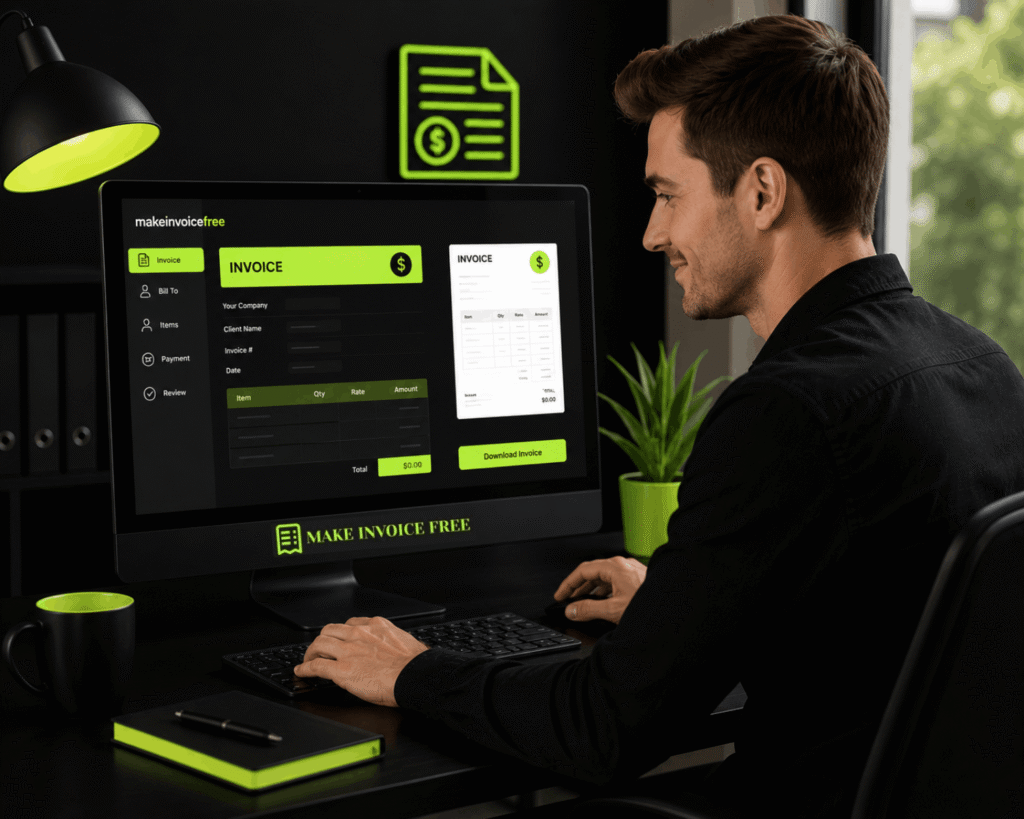
MakeInvoiceFree’s free invoice generator is built exactly for US freelancers and small business owners who want a fast, clean, no-fuss way to create professional invoices without paying for software or creating an account.
You fill in your details, customize the fields, and download a polished PDF , done in minutes.
As one freelancer put it in a popular Reddit thread about invoicing: “I was massively overthinking it. You just need something that looks professional and includes the right information.” That’s exactly right.
Whether you use MakeInvoiceFree or another tool, the goal is consistency. Once you have a template you like, invoicing takes five minutes per client.
Free Invoice Tool Comparison
| Feature | MakeInvoiceFree | Word Template | Google Docs | Paid Software |
|---|---|---|---|---|
| Free to use | ✅ | ✅ | ✅ | ❌ (monthly fee) |
| No sign-up needed | ✅ | ✅ | ❌ | ❌ |
| PDF export | ✅ | ✅ | ✅ | ✅ |
| Tax calculation | ✅ | ❌ | ❌ | ✅ |
| Professional templates | ✅ | Limited | Limited | ✅ |
| Logo upload | ✅ | Manual | Manual | ✅ |
Common Invoicing Mistakes (and How to Avoid Them)
Even experienced professionals make these errors. Here’s what to watch out for:
Mistake 1: Using Vague Descriptions
“Services rendered” or “Work completed” tells your client nothing. This creates confusion and can delay payment while they ask for clarification.
Fix: Be specific. “Social media content creation , 12 posts for May 2026 (Instagram + LinkedIn)” is unambiguous.
Mistake 2: Skipping a Payment Due Date
If you don’t specify when payment is due, clients will decide for themselves , and that might be 90 days from now.
Fix: Always include a specific due date (or a Net term like Net 15). Never leave this blank.
Mistake 3: Not Following Up on Late Invoices
A lot of freelancers feel awkward chasing payments. But silence doesn’t get you paid , a polite email does.
Fix: Set a reminder to follow up 1–3 days after the due date if you haven’t received payment. Most late payments are just oversights.
Mistake 4: Inconsistent Invoice Numbers
Skipping numbers, reusing numbers, or using no system at all creates accounting chaos for both you and your client.
Fix: Pick a numbering system and stick with it from day one.
Mistake 5: Math Errors
A subtotal that doesn’t add up, or a tax calculation that’s off, will get flagged by any competent accountant , and undermines your professionalism.
Fix: Use an invoice tool that calculates automatically, or double-check every number manually before sending.
Mistake 6: Not Including Payment Instructions
You’ve told them how much to pay, but not how to actually send the money. This creates friction that delays payment.
Fix: Always include at least one clear payment method with specific instructions (ACH details, PayPal email, payment link, etc.).
Mistake 7: Ignoring Sales Tax
Either over-collecting or under-collecting sales tax creates tax filing problems. And if you’re audited, missing sales tax records are a serious issue.
Fix: Research your state’s rules, or consult a CPA. When in doubt, don’t guess.
Mistake 8: Sending Invoices Late
If you wait three weeks to invoice someone for work you completed, you’re signaling that cash flow isn’t a priority , and their payment timeline will reflect that.
Fix: When learning how to write an invoice professionally, one important habit is timing. Send your invoice on the day you complete the work, or within 24–48 hours at most.
Pro Tips for Getting Paid Faster
Beyond getting the format right, here are some practical strategies that actually move the needle:
1. Invoice immediately after delivery. Don’t wait until the end of the month. The sooner you invoice, the sooner you get paid.
2. Use shorter payment terms. Net 30 is standard, but Net 15 or Net 7 gets you paid faster. Start with shorter terms and adjust based on client relationships.
3. Offer a small early-payment discount. Something like “2% discount if paid within 7 days” can motivate faster payment from clients who care about saving money.
4. Add a late fee policy , and state it on every invoice. Even if you never enforce it, it creates a sense of urgency.
5. Send invoices as PDFs, not Word docs. PDFs look professional and can’t be accidentally edited by the client.
6. Follow up the same day you send. A quick “Just sent over Invoice #042 , let me know if you have any questions!” email keeps it top of mind.
7. Accept multiple payment methods. The more ways someone can pay you, the fewer excuses they have not to.
8. Build invoicing into your project close-out process. The moment a project is complete, invoicing should be the next step , not an afterthought.
Invoice Rules in the United States: A Practical Summary
While there’s no single federal invoicing law for most private businesses, here’s what you practically need to know:
Recordkeeping: The IRS recommends keeping copies of all invoices for at least 3 years (7 years if you’re dealing with more complex tax situations like depreciation or bad debt claims).
Self-employment income: All invoiced income must be reported on your tax return, regardless of whether you received a 1099. Track every invoice you send.
Independent contractor status: A professional invoice actually supports your independent contractor status. It signals that you’re running a business, not functioning as an employee.
Contract alignment: Your invoice should match the terms in your signed contract or statement of work. Any discrepancy gives clients ammunition to delay or dispute payment.
No standard invoice numbering law: There’s no legal requirement for how you number invoices in the US , just make sure they’re unique and sequential for your own records.
Invoice Format by Business Type
Different business situations call for slightly different invoice approaches:

Freelancer Invoice
Focus on: hourly or project-based billing, clear descriptions, simple payment methods. Key fields: Your name/business, client name, project description, hours or deliverables, rate, total, payment link.
Small Business / Product Invoice
Focus on: item descriptions, quantities, unit prices, shipping if applicable, sales tax. Key fields: SKUs or product names, quantities, unit costs, shipping charges, applicable state sales tax.
Contractor Invoice
Focus on: labor hours, materials if applicable, project phases. Key fields: Job address or project name, labor breakdown by phase, materials list with markup, deposit applied (if any), balance due.
LLC Invoice
Focus on: legal entity name consistency, EIN availability, separation from personal finances. Key fields: Official LLC name, registered address, EIN on request, same fields as freelancer or product invoice depending on business type.
Recurring Invoice (Retainer/Subscription)
Focus on: billing period clarity, consistent amounts, auto-payment setup. Key fields: Billing period (e.g., “June 2026 Retainer”), services included, flat rate, auto-charge date or due date.
FAQ: Common Questions About Writing Invoices
What is the correct format for an invoice?
A professional invoice should include your business name and contact info, the client’s billing details, a unique invoice number, the invoice date, payment due date, itemized list of services or products, subtotal, applicable sales tax, grand total, payment terms, and accepted payment methods. There’s no single mandated US format, but including all of these fields ensures your invoice is legally sound, easy to process, and professionally presented.
Do I need to charge sales tax on my invoice?
It depends on your state, what you’re selling, and where your buyer is located. Physical products are typically taxable. Services are sometimes taxable , it varies significantly by state. After the 2018 South Dakota v. Wayfair Supreme Court ruling, online sellers may also need to collect sales tax in states where they have significant sales, even without a physical presence. When in doubt, consult a CPA or use a sales tax automation tool.
How do I write an invoice as a freelancer?
As a freelancer, create an invoice that includes your full name (or business name if you have one), your contact information, the client’s billing details, a unique invoice number, dates, a detailed description of the services you provided, your rates (hourly or project-based), the total amount owed, and payment instructions. You can use a free tool like MakeInvoiceFree to generate a polished PDF invoice in minutes without any accounting software.
How do I number my invoices?
Use any sequential numbering system that ensures each invoice number is unique. Common formats include simple numbers (001, 002, 003), year-based numbers (2026-001), or client-based codes (ACME-2026-001). The most important thing is consistency , pick one system and stick with it from the beginning.
What payment terms should I use?
Most US freelancers and small businesses use Net 15 or Net 30. Net 15 means payment is due within 15 days of the invoice date; Net 30 means 30 days. If you want to get paid faster, use Net 7 or “Due on Receipt.” If cash flow allows, you can offer Net 45 or Net 60 to larger corporate clients as a negotiating tool.
Can I invoice someone without a contract?
Yes, you can invoice without a formal contract , but it’s not recommended. A signed contract or agreement protects you if a client disputes the invoice. Even a simple email exchange confirming the scope and price of work serves as documentation. For larger projects, always get something in writing before starting.
What should I do if a client doesn’t pay my invoice?
Start with a friendly follow-up email. If that doesn’t work, send a firmer notice mentioning any late fees in your payment terms. For persistent non-payment, consider sending a formal collections letter, using a collections service, or filing a claim in small claims court for amounts within your state’s limits. Document all communications in case you need to escalate.
How do I write an invoice for an LLC?
Use your LLC’s official registered name at the top of the invoice , not your personal name. Include your LLC’s business address, contact info, and EIN if the client requests it. Otherwise, the structure is the same as any professional invoice: unique number, dates, itemized services, total, and payment terms. Make sure all invoices are filed separately from personal finances to maintain your LLC’s legal protections.
Is there a free way to make a professional invoice?
Yes. MakeInvoiceFree’s free invoice generator lets you create polished, professional invoices at no cost , no sign-up required. You can add your logo, customize line items, include sales tax, and download a print-ready PDF. It’s built specifically for US freelancers, contractors, and small business owners who need a fast, clean invoicing solution without paying for software.
Key Takeaways
- Every invoice needs: your info, client info, invoice number, dates, itemized services, totals, and payment terms , no exceptions.
- US invoices don’t follow a mandated federal format, but missing key fields can delay payment and create legal exposure.
- Sales tax rules vary by state , research your obligations based on what you sell and where your clients are located.
- LLCs should use their official registered name on all invoices to maintain legal separation.
- Getting paid faster comes down to: invoicing immediately, using clear payment terms, providing multiple payment options, and following up consistently.
- Free tools exist , you don’t need to pay for accounting software to send professional invoices. MakeInvoiceFree is a fast, free option built for exactly this.
Your Next Step Is Simpler Than You Think
Writing a professional invoice doesn’t have to be complicated.
Once you understand how to write an invoice and why each field matters, the whole process takes about five minutes per invoice. And that five minutes is protecting you legally, positioning your business professionally, and helping you get paid on time.
The biggest mistake most new freelancers and business owners make isn’t writing a bad invoice , it’s overthinking it to the point of delay.
So here’s what to do right now: open the MakeInvoiceFree invoice generator, fill in your details, and download your first professional invoice. It’s free, it takes minutes, and it’s one less thing between you and getting paid.
Your work is worth being compensated for. Make it easy for people to pay you.
This article was created by the team at MakeInvoiceFree , your all-in-one free finance toolkit for freelancers, small business owners, and self-employed professionals in the US.